Bexora
Choosing the best AI server manufacturers in 2026 is not just a matter of comparing processor names. Real performance depends on how GPUs, memory, storage, and high-speed networking work together under sustained workloads. A server may look impressive on a specification sheet, yet struggle when a busy data center faces heat, power limits, or tight rack space. Details matter.
This guide examines manufacturers through practical criteria: system design, cooling options, reliability, support, and the ability to scale from a single rack to larger clusters. It also considers whether an ai computing server manufacturer can explain its configurations clearly and provide useful guidance after installation. Those details affect daily operations, not just purchase decisions. Look for evidence such as validated system configurations, transparent service terms, and experience supporting comparable workloads. No vendor is best for every room. A research lab, cloud provider, and enterprise team may need very different systems. One uncomfortable truth is that published benchmarks cannot capture every deployment; workload, software, and facility conditions change the outcome. The comparisons ahead are intended to help buyers ask sharper questions, weigh trade-offs, and identify manufacturers that fit their technical needs rather than simply chase the largest numbers.
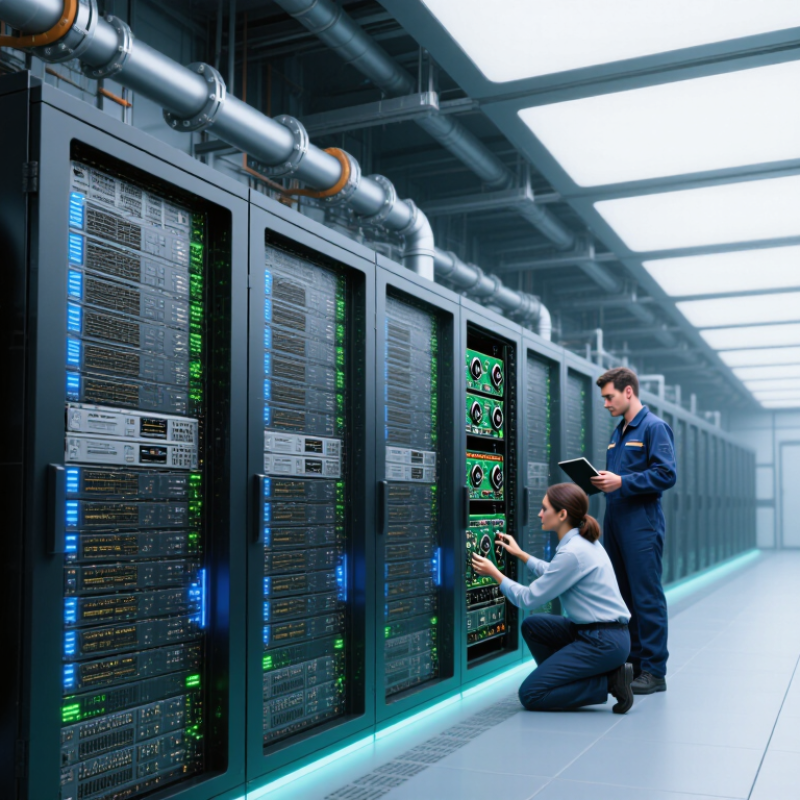
Evaluating 2026 AI server makers starts with more than counting GPUs per chassis. Density matters only when power, cooling, and networking remain stable under sustained workloads. Ask for measured rack-level power draw, inlet temperatures, and accelerator utilization during a representative training run. Peak numbers can mislead. An eight-GPU node that throttles after an hour may deliver less useful work than a denser, well-cooled system. Check liquid-cooling support, leak detection, and whether technicians can service one node without draining the rack.
Scale is the second test. Compare network bandwidth and topology, storage throughput, and the ability to deliver consistent configurations across hundreds of nodes. Ask for failure-recovery data, spare-part commitments, firmware controls, and clear escalation paths; these details affect uptime as much as GPU count. Run a workload close to yours, not just a synthetic benchmark. Record tokens per second, job completion time, and energy per completed task. Then test growth: Does performance stay predictable when a pilot expands from one rack to several? A neat spec sheet is reassuring, but integration work can still expose awkward trade-offs. Evidence should be repeatable, documented, and open to review.
Who Are the Best AI Server Manufacturers in 2026?
An 8-GPU H100 node tests how well a system balances accelerators, memory, networking, and cooling within one chassis. A 72-GPU, 36-CPU GB200 rack raises the challenge: power delivery, liquid cooling, cabling, and coordinated management must work together at much greater scale. That is not the whole story. Component counts alone cannot prove performance or reliability. Buyers should ask for measured workload results, thermal data, and clear service procedures.
Tips: Request sustained power and temperature readings, not just peak specifications. Check how technicians replace a failed component and how quickly the system returns to service. Small details matter.
These configurations reveal whether a manufacturer can engineer complete systems rather than assemble impressive parts. Look for evidence of workload testing, validated interconnects, predictable firmware updates, and support for the intended data-center environment. Ask how performance changes during long training runs, when heat and power limits become more noticeable. A rack may look excellent on paper and still be awkward to maintain. That is easy to overlook. The better choice depends on the model, facility, and support requirements—not GPU totals alone.
| Evaluation Dimension | 8-GPU H100-Class Node | 72-GPU, 36-CPU GB200-Class Rack | What to Assess in a Server Manufacturer |
|---|---|---|---|
| System scale | One server with eight accelerators; a common building block for multi-node clusters. | One integrated rack-scale system with 72 GPUs and 36 Grace CPUs, arranged as 36 two-GPU compute modules. | Ability to deliver the required scale as a validated system, not just as a list of individual components. |
| Accelerator memory | H100 SXM configurations provide 80 GB of HBM3 memory per GPU, or 640 GB across eight GPUs. | Blackwell GPUs in GB200 systems provide 192 GB of HBM3e memory per GPU, or 13,824 GB across 72 GPUs. | Confirm the exact accelerator variant, memory capacity, supported firmware, and system-level configuration. |
| High-speed GPU interconnect | H100 SXM supports fourth-generation NVLink, with up to 900 GB/s of bidirectional NVLink bandwidth per GPU. | NVLink fifth-generation connectivity links the rack’s 72 GPUs, with up to 130 TB/s of aggregate NVLink bandwidth at rack scale. | Check the actual interconnect topology, supported collective communication software, and validated scaling performance. |
| CPU and memory design | Typically pairs eight accelerators with host CPUs and system memory; CPU count and memory capacity depend on the node design. | Uses 36 Grace CPUs alongside 72 GPUs in the rack-scale configuration. | Evaluate host-memory capacity, CPU-to-GPU ratios, storage paths, and the intended workload’s data-feeding requirements. |
| Cooling and power | Cooling and power requirements vary by server design, accelerator configuration, and workload; verify the rated power and thermal specifications. | Rack-scale accelerator density makes facility power delivery and liquid-cooling readiness important design considerations. | Request validated rack power and cooling plans, facility requirements, service access details, and deployment guidance. |
| Cluster expansion | Scaling beyond one node depends on the cluster fabric, network adapters, switches, and software configuration. | Designed as a tightly integrated rack-scale building block; larger deployments still require a suitable data-center network. | Compare cluster reference designs, network compatibility, cabling plans, and support for multi-rack deployment. |
| Best-fit workloads | AI training and inference deployments that need a high-performance eight-GPU server with more incremental cluster sizing. | Large-scale training and inference workloads that can use rack-level GPU interconnect and substantial shared compute capacity. | Match system scale to model size, parallelism strategy, utilization targets, and the organization’s power and space limits. |
| Serviceability and support | Assess component replacement procedures, spare-parts availability, firmware management, and service coverage. | Assess rack-level commissioning, liquid-cooling service procedures, coordinated component support, and on-site response capability. | Prioritize documented service-level commitments, tested upgrades, clear escalation paths, and local deployment expertise. |
| Procurement takeaway | A modular option for teams that need powerful GPU nodes and the flexibility to build a cluster in stages. | A rack-scale option for teams whose workloads and data-center infrastructure can support a much denser integrated system. | There is no universal “best” supplier: compare validated configurations, availability, support, facility readiness, and total cost of ownership. |
Note: Specifications describe reference accelerator configurations, not a particular supplier’s complete server. Actual system memory, power, cooling, networking, and service features vary by configuration and should be confirmed in the supplier’s current documentation.
Comparing five AI server manufacturers means looking beyond peak GPU counts. One group emphasizes tightly integrated systems, with validated accelerators, networking, and management tools arriving as a coordinated platform. Another offers broad enterprise support and familiar service processes, useful when machines must fit existing data centers. A more configurable approach can suit teams that need unusual storage, cooling, or accelerator combinations. Regional service coverage matters. A delayed replacement fan can idle an expensive rack.
For dense training clusters, examine power draw, cooling design, and network bandwidth alongside benchmark results. Some platforms are built around liquid cooling; others prioritize air-cooled configurations that are easier to deploy in established facilities. Not always. Ask vendors for power and thermal figures at the exact proposed configuration, not a similar chassis. Check firmware controls, spare-part availability, and how quickly a failed GPU or power supply can be replaced. A real trade-off. High customization may improve fit, but it can also complicate validation and support. I would compare workload tests using the same model, precision, and network setup; small testing differences can distort the ranking. The best choice depends on operational skill, facility limits, and service commitments—not a single “fastest” label.
Choosing an AI server manufacturer in 2026 means checking accelerator support at the platform level, not trusting a broad compatibility badge. Ask whether systems are validated for the latest hardware from both major GPU ecosystems. Request exact supported configurations, firmware versions, and cooling limits. Some vendors list a processor but omit important restrictions. That matters.
For open systems, examine practical details: standard expansion interfaces, documented firmware controls, replaceable power supplies, and clear driver guidance. A dense eight-accelerator chassis may require liquid cooling, high-capacity power delivery, and carefully balanced airflow. A workstation alone cannot prove rack-scale readiness. Check the details. Request workload-specific results covering sustained performance, memory use, and service response times, rather than peak figures alone. Confirm whether mixed deployments are supported or whether one software stack is required. That can affect operating costs. Treat vague compatibility claims as unverified until configuration documents and support commitments are available; real workloads may still expose gaps.
Choosing an AI server maker starts with the workload, not a headline performance claim. Training systems need dense accelerator capacity, fast links between processors, and cooling designed for sustained load. Ask for measured power draw and thermal data from configurations close to your own. A crowded rack can behave differently from a lab test.
Inference has different demands. For real-time services, low latency, predictable throughput, and efficient power use may matter more than peak accelerator count. Check how the system handles mixed workloads and whether storage and networking can keep pace. Small delays add up. A useful vendor should explain test conditions clearly, not just quote a best-case result.
Enterprise deployment brings practical constraints: existing data-center power, rack depth, security controls, and support coverage. Review firmware update procedures, spare-part availability, and response targets before signing. Ask for a pilot using representative models and real traffic. That exposes awkward details, like noisy fans or uneven utilization. No maker is perfect, and published benchmarks rarely capture every constraint. Compare total operating costs and service terms alongside hardware specifications. The right fit may be less powerful on paper, yet easier to operate reliably.
Which server makers best fit AI training, inference, and enterprise deployment? Start by matching platform strengths to workload priorities.
How to read this: Scores are a qualitative planning guide from 1 (lower priority) to 5 (higher priority), not measured manufacturer ratings. Training typically emphasizes accelerator density and fabric bandwidth; inference emphasizes latency; enterprise deployment places greater weight on manageability and integration.
It tests how well accelerators, memory, networking, and cooling work together inside one chassis.
Power delivery, liquid cooling, cabling, and coordinated management become more complex. Component counts alone prove little.
Ask for sustained workload results, power readings, and temperature data from a comparable configuration. Peak figures are not enough.
Check accelerator links, sustained cooling, and behavior during long training runs. Heat limits can change performance.
Measure latency, throughput, and power use with representative traffic. Small delays add up.
Check facility power, rack depth, security controls, support coverage, and spare-part availability. Details can bite.
Run representative models and real traffic. Watch utilization, fan noise, and service procedures.
Not necessarily. Compare operating costs and service terms with measured results. A less powerful system may be easier to run reliably, though I would verify that assumption.
Choosing the best AI server manufacturers in 2026 requires looking beyond headline GPU counts. Buyers should compare GPU density, memory and interconnect capacity, power and cooling needs, and the ability to scale from individual nodes to complete rack systems. An 8-GPU server and a rack-scale platform with dozens of accelerators and multiple CPUs serve different deployment goals, so specifications should be assessed in the context of workload size, data movement, and infrastructure readiness.
A capable ai computing server manufacturer should offer support for current accelerator platforms, including NVIDIA Blackwell and AMD Instinct, while providing flexible options for open systems. The right choice depends on whether the priority is large-scale AI training, efficient inference, or reliable enterprise deployment. Serviceability, software compatibility, integration support, and long-term scalability also matter. Evaluating these factors together helps organizations select systems that meet performance requirements without overlooking practical constraints such as power, cooling, and operational complexity.