Bexora Bexora

2026 Best AI Training Server Manufacturers for Buyers

Time:2026-11-14 Author:Aria
0%

Choosing an AI training server is not just a GPU decision. A system that looks powerful on a product page may struggle with memory limits, network bottlenecks, or the cooling capacity of a real data center. Buyers should compare GPU type and memory, accelerator interconnects, storage throughput, and rack-level power demands. Small details matter. A dense server can require changes to airflow, cabling, or facility power before it is ready to run.

This guide to 2026’s best AI training server manufacturers helps buyers assess vendors against practical workloads, not just headline specifications. It considers system configuration, workload scalability, software support, warranty terms, and access to technical service. Ask each ai training server manufacturer for current datasheets, workload-relevant benchmarks, and clear details about delivery and support. Where possible, validate claims against independent testing or deployments similar to your own. Those details are not always easy to compare. Some vendors publish more than others.

There is no universal winner. A research lab training smaller models may value flexibility and manageable noise, while a large organization may prioritize cluster expansion and high-speed networking. Budget should include more than the server price: power use, cooling, deployment, and maintenance all shape long-term cost. Specifications also change quickly. Verify availability and configuration directly with the manufacturer before making a purchase. A shortlist can still miss a constraint in your room. That is worth checking early.
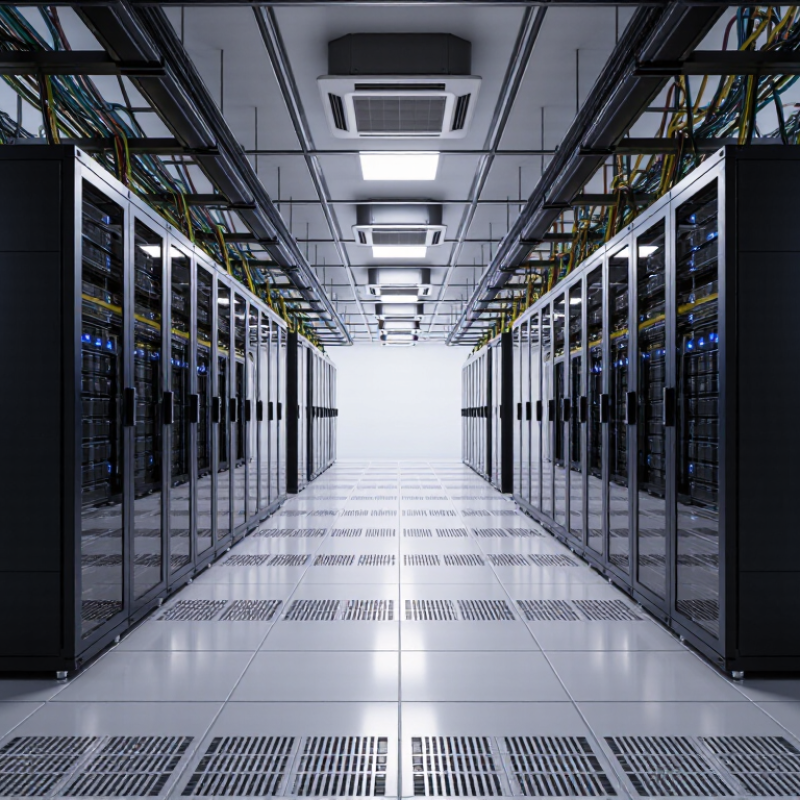
2026 Best AI Training Server Manufacturers for Buyers

How AI Training Servers Support Large-Scale Model Development

Large-scale model development depends on more than raw computing power. AI training servers combine accelerators, high-speed memory, and fast network connections to process large datasets across many machines. When servers exchange model updates slowly, expensive accelerators may sit idle. Balanced system design matters.

A typical training run can keep multiple accelerators busy for days. Stable cooling, reliable power delivery, and adequate storage help prevent interruptions. Engineers also monitor temperature, memory use, and network traffic during training. The details vary by workload. No configuration fits every model, and capacity planning can be imperfect.

Tips: Check memory capacity before comparing accelerator counts. Estimate power and cooling needs for sustained workloads, not short tests. Run a representative training benchmark, and record throughput, temperature, and failures. These results provide better evidence than peak specifications alone.

Scaling also brings trade-offs. Larger clusters may shorten training time, but they add operational complexity and coordination costs. Data loading can become a bottleneck, even with powerful hardware. Review checkpoint recovery and software compatibility before deployment. A failed experiment still teaches something, though it may reveal gaps in the original plan.

Key Specifications Buyers Should Compare in 2026

Compare AI training servers by sustained performance, not headline accelerator counts. Check memory capacity and bandwidth, accelerator-to-accelerator links, and scaling across nodes. These determine whether large models fit and whether processors spend time waiting for data. Peak numbers can deceive. Request benchmark results for workloads similar to yours, including model size, precision, software stack, and power draw. Without those details, comparisons are shaky.

Power and cooling deserve equal attention. The IEA’s Electricity 2024 report estimates that data-center electricity use could exceed 1,000 TWh in 2026, reflecting rising demand from AI and other workloads. Uptime Institute’s 2024 Global Data Center Survey reported an average data-center PUE of 1.56. Ask manufacturers for measured system power under sustained training, cooling requirements, and rack-level limits. Also compare memory expansion, storage throughput, network options, and access to replaceable components. A technically strong system may still be awkward to service; that is easy to overlook.

Tips: Request a sample configuration and verify its benchmark independently. Confirm the quoted power includes the full server, not just accelerators. Check warranty response times and spare-parts availability. A clear answer matters.

2026 Best AI Training Server Manufacturers for Buyers - Key Specifications Buyers Should Compare in 2026
Server Configuration Class Accelerator Count and Memory Scale-Up Interconnect Host CPU and System Memory Networking and Storage Power and Cooling Typical Buyer Use
Eight-accelerator, high-density training server 8 accelerators; HBM-equipped modules commonly span approximately 80–192 GB per accelerator, depending on generation and configuration. High-bandwidth accelerator-to-accelerator links; compare link bandwidth, topology, and whether all accelerators can communicate directly at full system scale. Usually 2 host CPU sockets; commonly configured with about 1–4 TB of system memory, subject to platform support. Compare dual 200 or 400 Gb/s-class fabric interfaces, adapter options, and local NVMe capacity. Check support for the required Ethernet or InfiniBand fabric. Often requires liquid cooling or carefully engineered high-capacity air cooling. Request measured maximum system power and facility-water requirements. Large-model training, distributed workloads, and teams needing substantial accelerator memory and fast intra-server communication.
Eight-accelerator, PCIe-based server 8 PCIe accelerators; memory capacity varies by accelerator type, with roughly 48–96 GB per device found in many data-center configurations. PCIe-based communication; confirm the PCIe generation, switch layout, peer-to-peer support, and the bandwidth available between accelerators. Typically 2 host CPU sockets; system memory commonly ranges from about 512 GB to 2 TB, depending on workload and configuration. Check available 100–400 Gb/s-class network options, adapter count, and the number of front-accessible or internal NVMe drive bays. Power and cooling requirements vary substantially by accelerator and chassis; verify sustained-load power, inlet temperature limits, and rack compatibility. Training and fine-tuning where PCIe connectivity and a more flexible accelerator selection meet the workload’s performance needs.
Four-accelerator PCIe server 4 PCIe accelerators; accelerator memory is configuration-dependent, with common data-center options around 48–96 GB per device. PCIe connectivity; confirm accelerator peer-to-peer transfers and CPU-to-accelerator bandwidth for the intended software stack. Usually 1 or 2 CPU sockets; approximately 256 GB–1 TB of system memory is a practical configuration range for many workloads. Compare 100–200 Gb/s-class fabric options, NVMe boot and scratch storage, and expansion capacity for additional network adapters. Often easier to fit into standard data-center racks than higher-density systems, but actual power draw depends on the selected components. Smaller training jobs, model development, fine-tuning, and capacity expansion with a lower accelerator count per server.
Two-accelerator server 2 data-center accelerators; memory and form factor depend on whether the selected devices are PCIe or another supported module type. Usually PCIe-based; check whether the platform supports direct peer-to-peer communication and the required accelerator software. Commonly 1 or 2 CPU sockets; about 256–768 GB of system memory is a reasonable starting range, subject to workload requirements. Compare 25–100 Gb/s-class networking, available NVMe capacity, and upgrade options for faster fabric adapters. Typically lower total system power than multi-accelerator systems; verify the power supply rating and cooling requirements at full load. Development, inference-heavy mixed use, small-scale training, and teams prioritizing incremental deployment.
Rack-scale training system Multiple server nodes; accelerator count is determined by the rack design and may range from dozens to well over one hundred. Evaluate both intra-node links and inter-node fabric performance; request the complete topology and supported collective-communication configurations. CPU and memory are specified per node; compare aggregate capacity, memory balance, and node-level serviceability. Requires a high-bandwidth, low-latency fabric; assess switch ports, oversubscription, cabling, storage throughput, and scale-out capacity. May require liquid cooling, facility-water planning, and rack-level power distribution. Confirm total rack power, heat output, and deployment prerequisites. Large distributed training jobs and organizations planning a dedicated AI cluster rather than standalone servers.
Cross-manufacturer checks Confirm the exact accelerator model, usable memory, supported count per system, and availability of the required configurations. Ask for measured bandwidth and latency, supported topologies, and validation with the intended training framework. Check supported CPU generations, memory capacity, DIMM population rules, and firmware lifecycle. Confirm fabric compatibility, adapter and switch support, NVMe performance, and the vendor’s cluster integration responsibilities. Request maximum and typical power figures, cooling specifications, acoustics where relevant, and service requirements. Compare warranty, on-site response options, spare-parts availability, deployment services, and support coverage for the full system configuration.
Buyer note: These are indicative configuration ranges for comparing server classes, not specifications attributed to any manufacturer. Exact accelerator memory, interfaces, power, cooling, and supported configurations vary by generation and system design. Verify current product documentation and workload-specific benchmark results before purchasing.

How Leading Manufacturers Differ in Hardware and Support

Choosing an AI training server manufacturer means comparing more than peak accelerator performance.
Check memory capacity, interconnect bandwidth, power delivery, and cooling limits under sustained workloads. Ask for thermal test results at your intended rack density, not just brief benchmark scores. Details matter. The International Energy Agency’s Electricity 2024 report estimates data-centre electricity use at 460 TWh in 2022, potentially reaching 620–1,050 TWh by 2026. That range makes power efficiency and heat removal practical buying questions, not minor specifications.

Support separates capable suppliers from dependable ones.
Uptime Institute’s 2024 outage analysis found that 54% of surveyed operators said their most recent significant outage cost more than $100,000. Compare response-time commitments, local spare-parts availability, firmware maintenance, and access to engineers who understand accelerator systems. Request the service terms in writing. A quick reply is not the same as a resolved fault. A specification sheet can still mislead: support coverage may differ by region, component, or contract tier. Ask how replacement parts are handled during a real failure, and whether diagnostics include the server, cooling system, and network.

Matching Server Designs to Workloads and Deployment Environments

The best AI training server is not always the largest one. Match its design to model size, data volume, and available power. Dense GPU configurations can shorten training runs, but they also raise cooling and electrical demands. Check rack depth, circuit capacity, and airflow before comparing accelerator counts. Measure before buying.

For distributed training, examine GPU-to-GPU links, network bandwidth, and storage throughput together. A fast server can still sit idle if data arrives slowly or multiple nodes communicate poorly. Smaller teams may prefer systems with fewer accelerators and room to expand. This can reduce initial costs, though upgrades may require downtime. Test representative workloads when possible; benchmark results rarely predict every production bottleneck. That is an imperfect but useful check.

Tips: Ask manufacturers for thermal, power, and service documentation. Confirm how components can be replaced and whether local technicians can support the deployment. Record expected workload growth, too. Forecasts are often wrong. A little uncertainty belongs in the purchasing plan.

A Step-by-Step Framework for Evaluating and Selecting a Manufacturer

2026 Best AI Training Server Manufacturers for Buyers
A Step-by-Step Framework for Evaluating and Selecting a Manufacturer

Start with the workload, not the server brochure. Record model size, training duration, accelerator count, storage throughput, and expected network traffic. Then ask each manufacturer for a configuration that meets those needs, with a clear bill of materials and upgrade options. Stanford’s 2025 AI Index reports that training compute for notable AI models has doubled roughly every five months. That pace makes expansion plans worth checking early. Ask how additional nodes affect power, cooling, cabling, and software compatibility.

Next, compare evidence—not just peak performance claims. Request workload-specific benchmark results, temperature and power readings, component failure procedures, and references for installations of similar scale. The International Energy Agency’s Energy and AI report estimates data centres used about 415 TWh of electricity in 2024. That makes measured power draw and cooling design practical buying criteria, not minor details. Confirm warranty response times, spare-parts access, firmware support, and who handles troubleshooting across the full system. Get these commitments in writing.

Tips: Share a real training job and ask for a witnessed acceptance test. Check rack dimensions, cable reach, and measured noise before delivery. One uncomfortable point: the best specification can still be wrong if your workload changes. Revisit assumptions, and leave room for a small pilot; it may feel slower, but it exposes integration gaps before a full purchase.

FAQS

What should buyers compare in AI training servers?

Compare sustained performance, memory capacity, bandwidth, accelerator links, and multi-node scaling. Peak counts can deceive.

Why request workload-specific benchmark results?

Results should match your model size, precision, software stack, and power draw. Otherwise, comparisons are shaky.

What power details should manufacturers provide?

Ask for measured power during sustained training, plus cooling needs and rack-level limits. Check whether quoted power covers the whole server.

How important are cooling requirements?

Cooling can limit performance in a dense rack. Request thermal results for your intended setup, not just brief benchmark scores.

What other hardware specifications deserve attention?

Check memory expansion, storage throughput, network options, and replaceable components. Serviceability is easy to overlook.

How can buyers assess technical support?

Compare response commitments, local spare-parts access, firmware maintenance, and engineer expertise. Get service terms in writing.

What should buyers ask about component failures?

Ask how replacement parts are supplied during a real failure. Confirm whether diagnostics cover the server, cooling, and network.

Why does data-center electricity use matter to this purchase?

An IEA report estimated 460 TWh of use in 2022, with 620–1,050 TWh possible by 2026. The range is broad, but power efficiency still matters.

Can a fast support reply guarantee a quick repair?

No. A prompt reply is not the same as a resolved fault. I might still underestimate regional service gaps.

Conclusion

AI training servers provide the computing power needed to develop large models, support distributed training, and manage demanding data workloads. Choosing the right system in 2026 means comparing more than processor performance: buyers should assess accelerator capacity, memory, storage speed, networking, power efficiency, cooling requirements, and options for future expansion. These specifications affect both training speed and the practical cost of operating a deployment.

Manufacturers can differ in hardware configurations, customization, technical support, and delivery capabilities, so the best choice depends on the workload and environment. A system designed for a large data center may not suit a smaller organization with limited power or cooling capacity. Buyers can make a more informed decision by defining their training goals, setting infrastructure and budget requirements, comparing support and service terms, and evaluating shortlisted solutions against measurable needs. A capable ai training server manufacturer should offer a configuration that balances performance, reliability, and long-term operational fit.

Aria

Aria

Aria is a dedicated marketing professional with a deep passion for innovative strategies and a keen understanding of our company's product offerings. With a wealth of experience in the industry, Aria excels at crafting engaging content that highlights the unique features and benefits of our......